

MaXplorer
A familiar way to explore. A better way to work on Mac.
MaXplorer combines Windows Explorer-style navigation with a polished, modern Mac experience: browse quickly, work across local and network storage, and keep every file operation visible and under control. It is fully open source, so you can browse the code, file issues, or contribute on GitHub.
macOS: available now
- Version 1.08
- Requires macOS 26.5 or later
- Apple silicon and Intel
Built for your everyday
A closer look at what it can do.
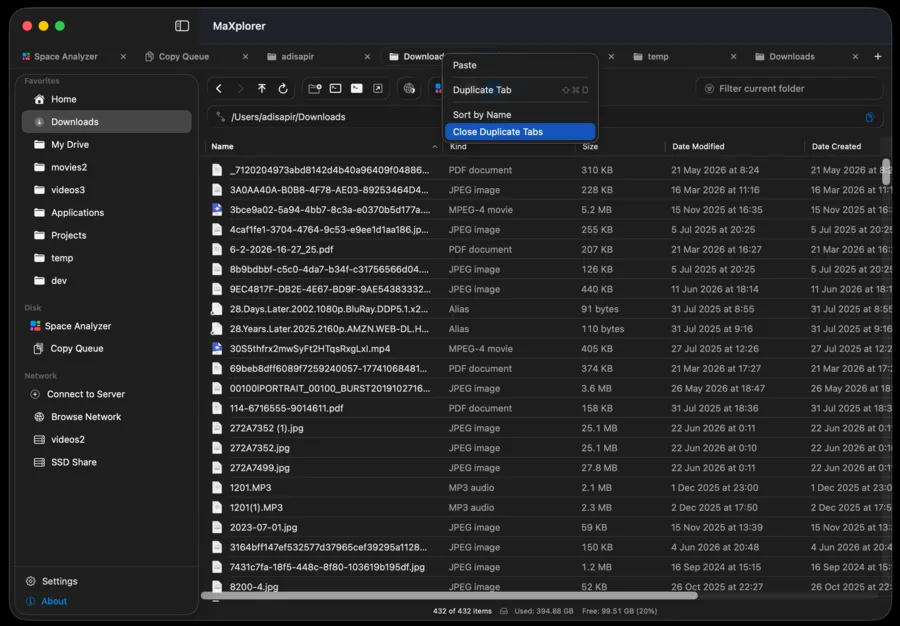
True tabbed browsing: up to 50 folders, drag to reorder, clipboard and favorites synced across tabs
Windows-style cut & paste (⌘X / ⌘V) to move files across local drives and mounted network volumes
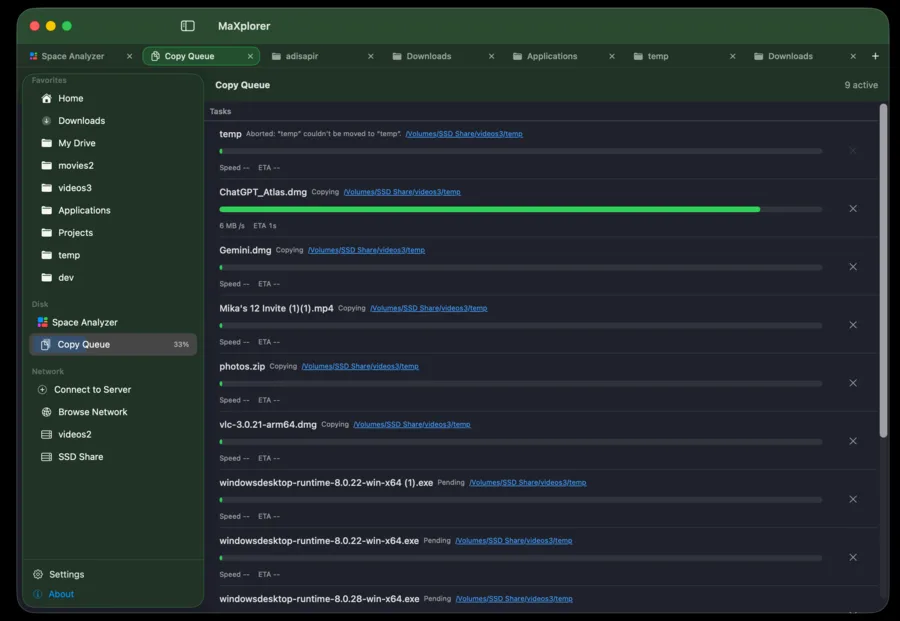
Visible, responsive copy/move queue: per-file progress, speed, ETA, and adjustable concurrency
Granular conflict resolution: Overwrite, Overwrite All, Skip, Skip All, or Cancel, one at a time
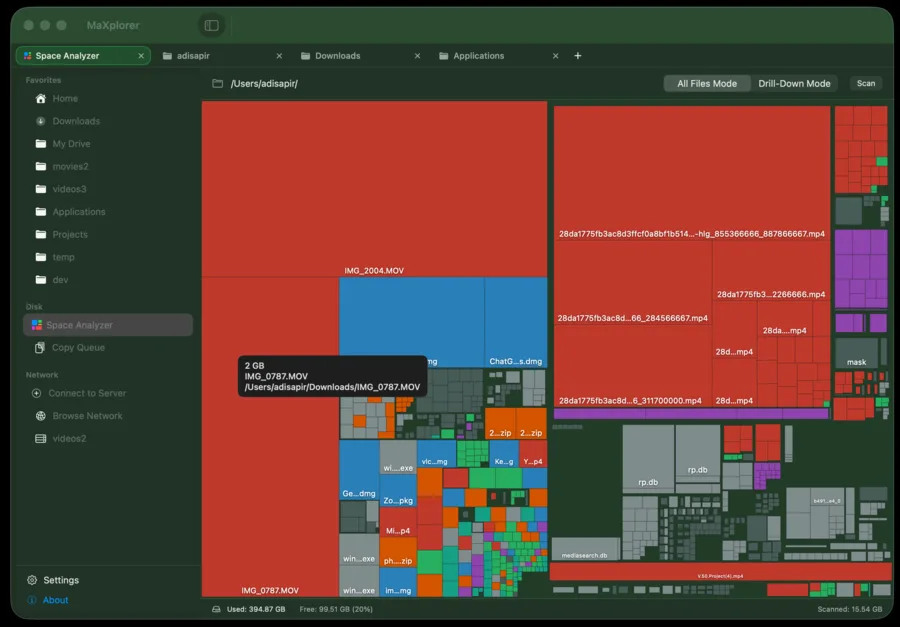
Built-in Space Analyzer that scans any folder into an interactive, color-coded treemap
Integrated terminal, instant folder filtering (⌥⌘F), and native SMB/AFP network browsing
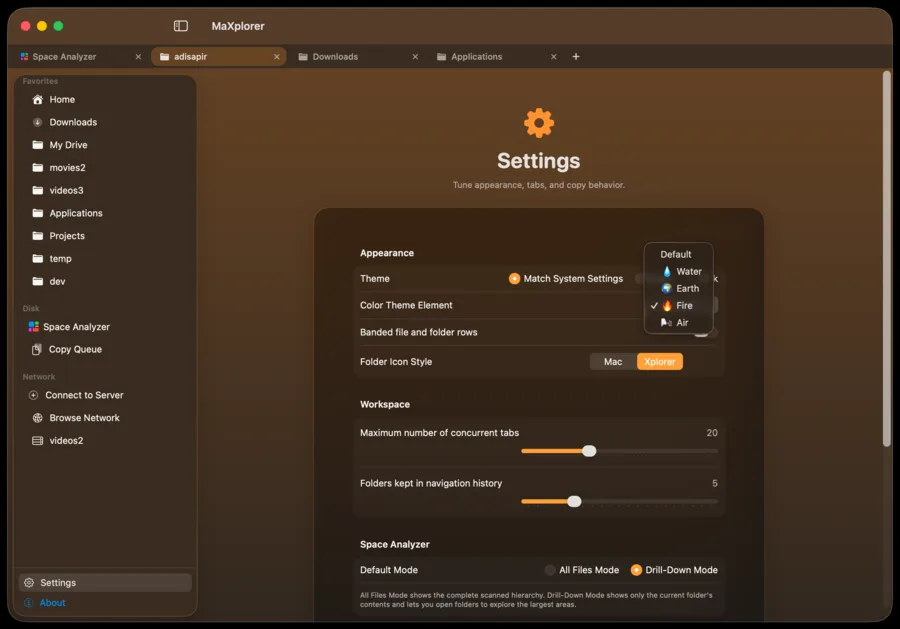
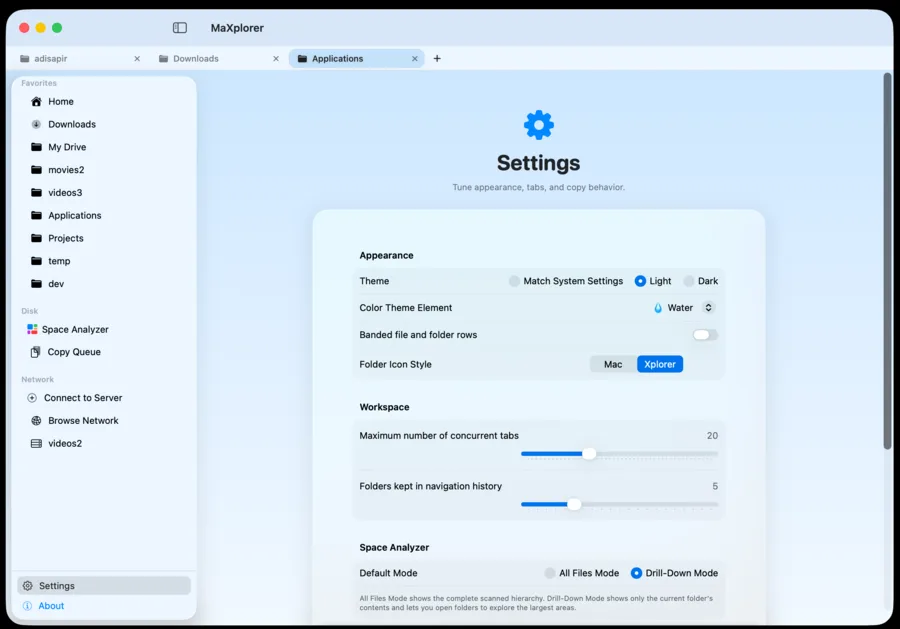
Personalized appearance: light/dark/system, elemental color themes, and macOS 26 Liquid Glass design
See it in action
Less imagining. More exploring.
Select a screenshot for a closer look.
Your next step
Try MaXplorer.
A native macOS file manager with Windows Explorer-style navigation.
 Network Pulse
 Wi-Fi and Network Monitor for Windows
 DriveWing
 Kineto